
Ergonomic Radiology Reading Workstations
- Electronic Sit-to-Stand Height Adjustment
- EZ-Track Monitor Positioning
- Integrated Task and Ambient Lighting
- Spine-Supporting Ergonomic Seating
- Reading Room and Home Configurations
- Professional On-Site Installation
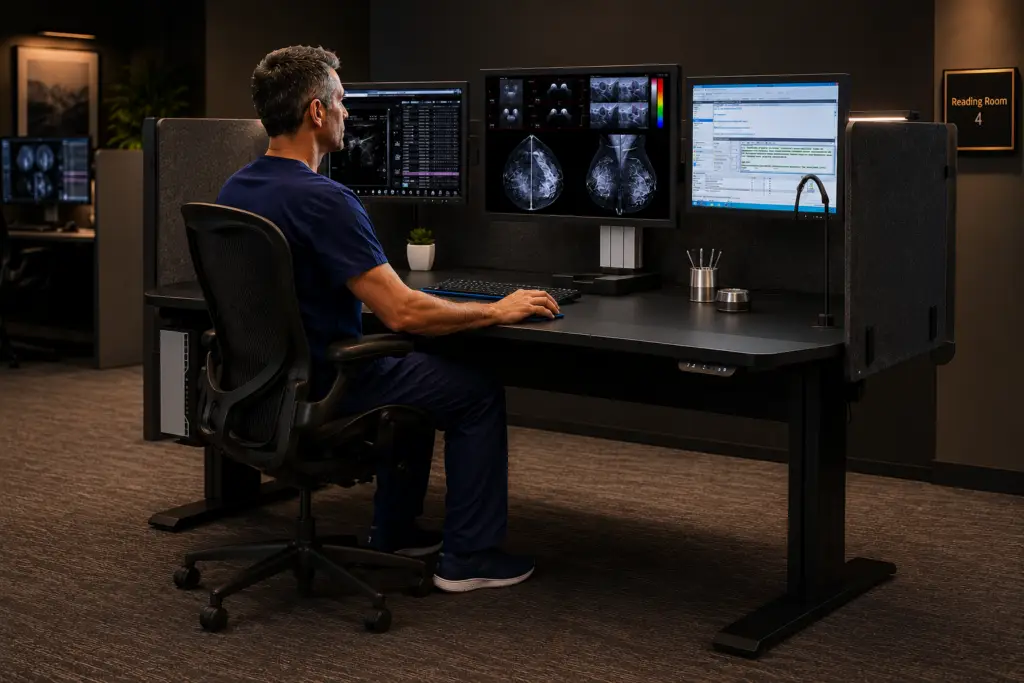
Workstation Solutions
A Complete Ergonomic Lineup for Every Reading Environment
From dedicated home-reading desks to fully featured reading-room workstations and custom builds.
Each solution is configured to your displays, modalities, and space.
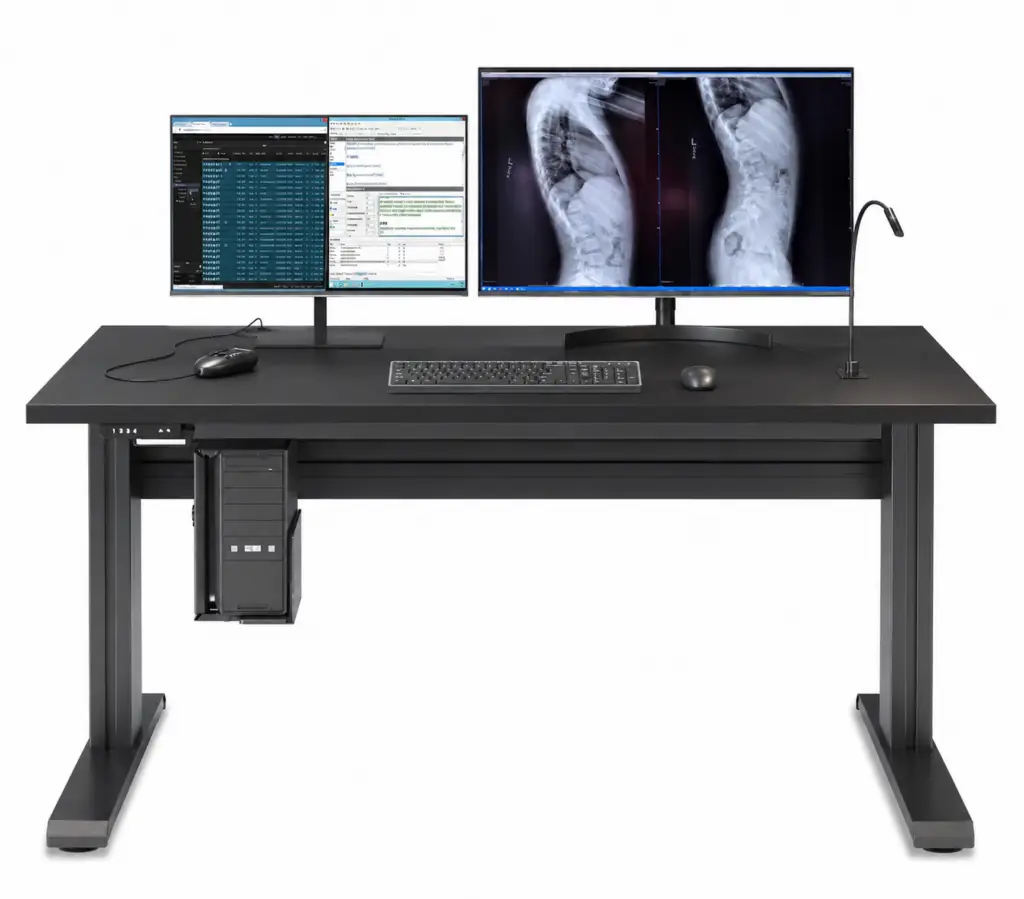
Phoenix Home
A complete home-reading desk with sit-to-stand control and integrated cable management.
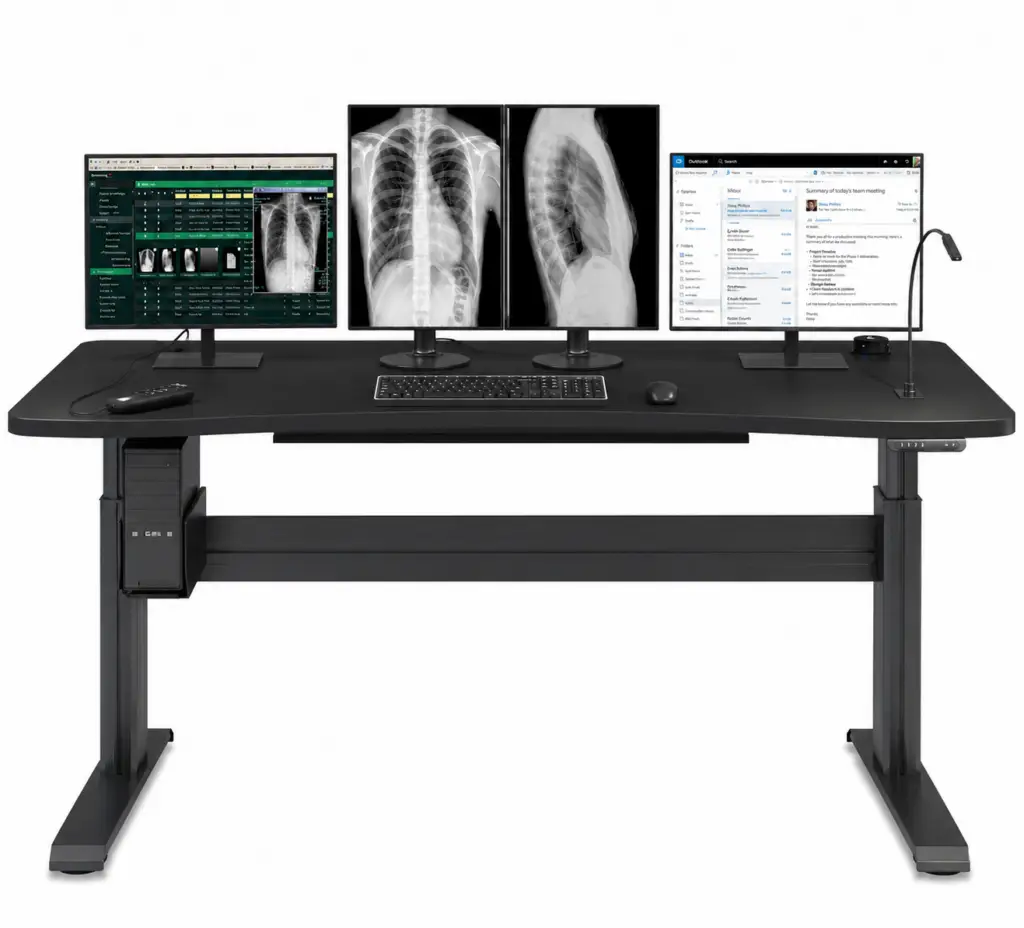
Phoenix I Single Surface
A single-surface sit-to-stand workstation engineered for focused, high-volume reading.
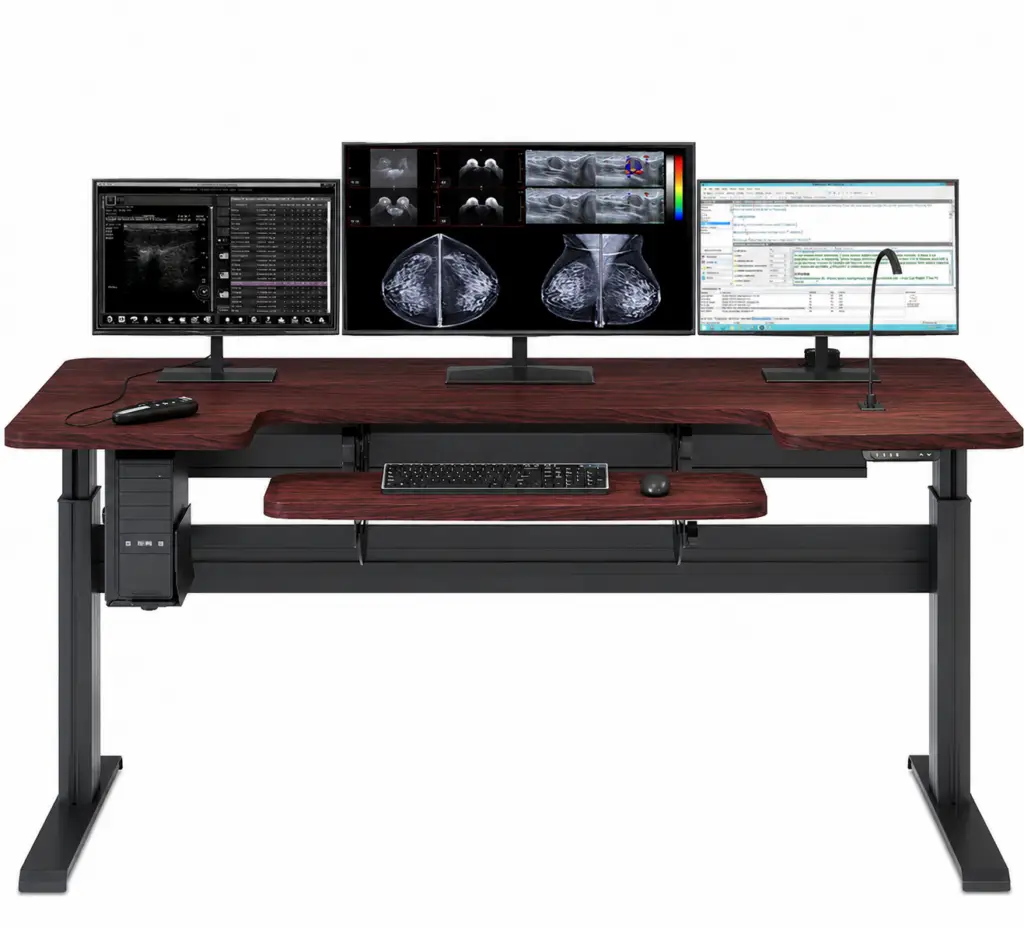
Phoenix I Dual Surface
A dual-surface design that separates reading and reference tasks across two levels..

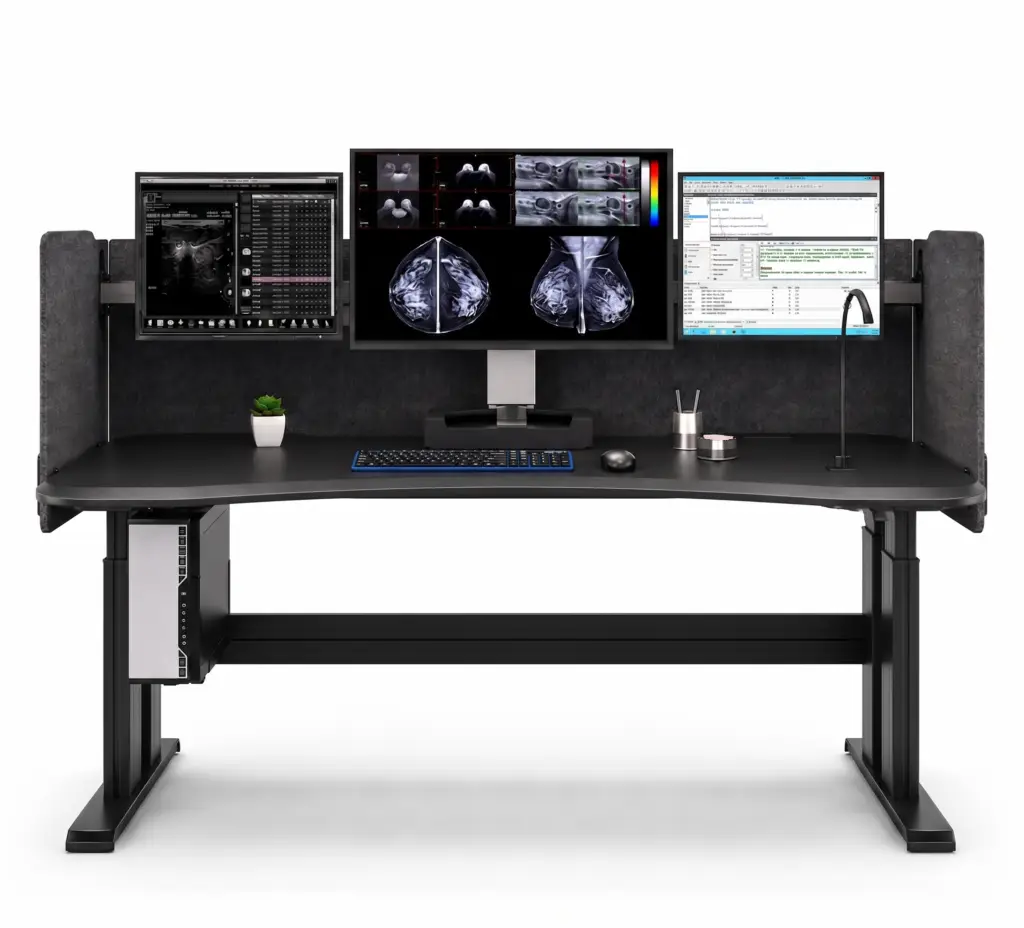
Phoenix II
Our flagship workstation, with EZ-Track mounting, privacy panels, and personal climate control.
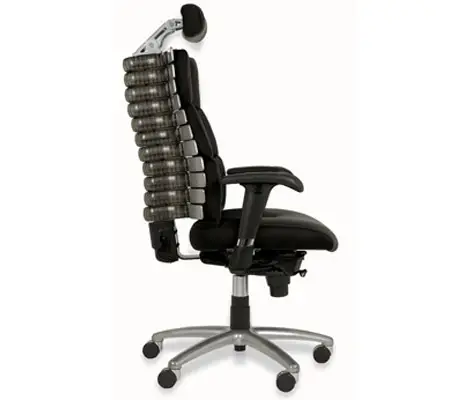
Ergonomic Seating
Seating engineered to support the spine’s natural curve through long reading sessions.
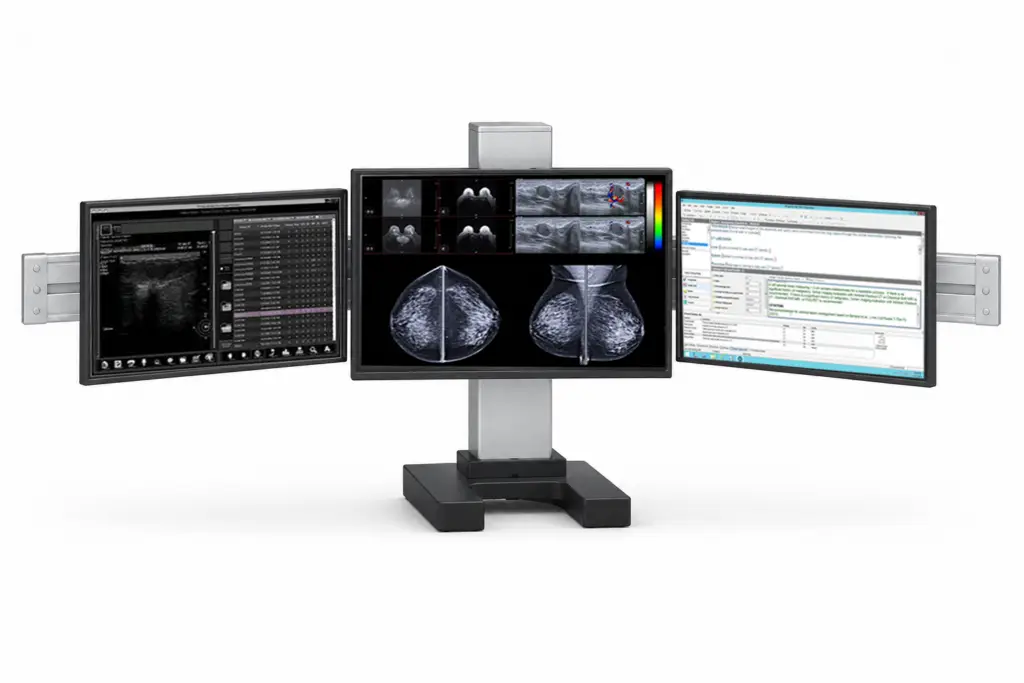
EZ-Track Monitor Mount
Height- and depth-adjustable monitor positioning that keeps displays at the ideal viewing angle.
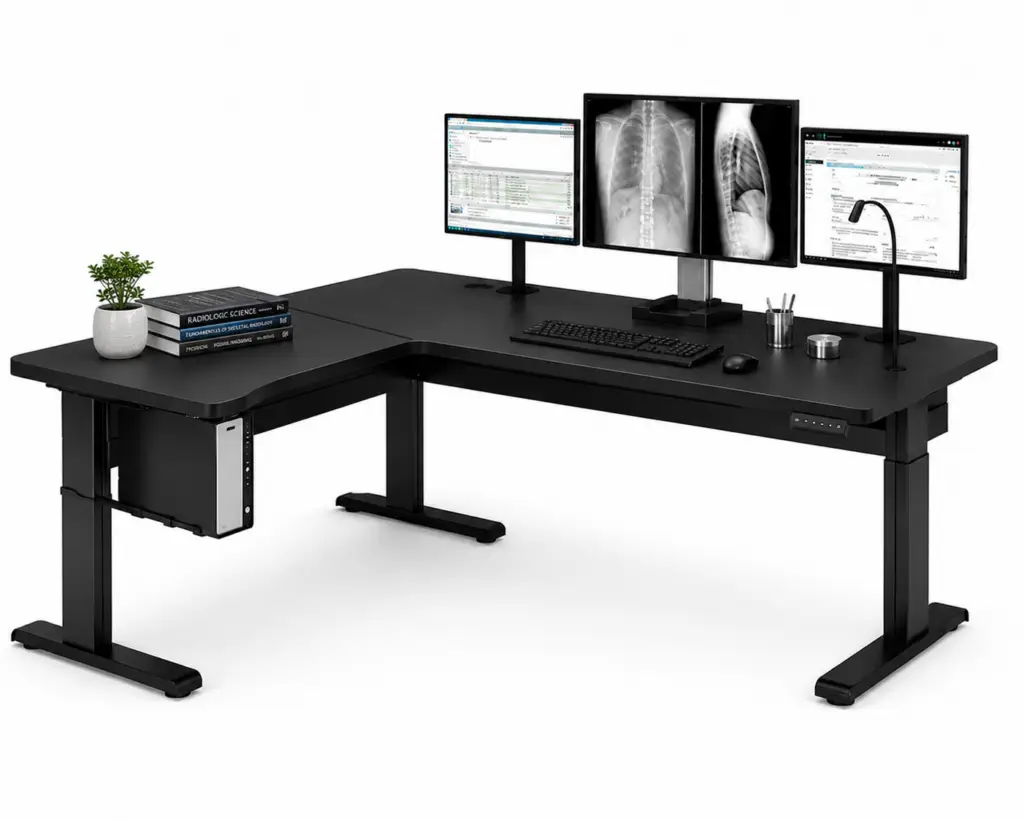
Custom Ergonomic Workstation
Purpose-built desks configured to your modalities, space, and reading-room workflow.
Why Ergonomics Matter in Radiology
Radiologists spend most of the workday seated at a PACS workstation, often reading for hours with little change in posture.
The design of that workstation has a direct effect on health, accuracy, and how long a radiologist can stay in the profession.
60%+
of radiologists report neck, back, or wrist strain
13.5K-86K
projected U.S. physician shortage by 2036
+17–27%
Radiologists are busier
than ever
Imaging volumes keep climbing while the workforce stays tight. Keeping experienced radiologists healthy and at the workstation has become a strategic priority.
Repetitive strain is common — and preventable
More than 60% of radiologists report neck, back, or wrist symptoms with visual fatigue. Proper reading-room ergonomics can reduce both frequency and severity.
Comfort supports diagnostic accuracy
Fatigue is a patient-safety issue. A workstation that limits physical and visual fatigue supports both the
radiologist and the diagnosis.
A tool for recruitment
and retention
Radiology has long been a major hospital revenue line. Many groups now provide ergonomic home-reading desks to attract and retain readers.
Key Benefits of DBI Ergonomic Workstations
Designed Around Radiologist Health
Sit-to-stand motion, supportive seating, and task lighting reduce the strain of long reading sessions.
Built for Reading-Room Productivity
Clean sightlines, fast adjustability, and organized cabling help radiologists stay focused and read efficiently.
Configured to Your Workflow
Single-surface, dual-surface, and custom layouts adapt to your modalities, space, and team.
Delivered and Professionally Installed
Every workstation ships complete and is installed on-site.
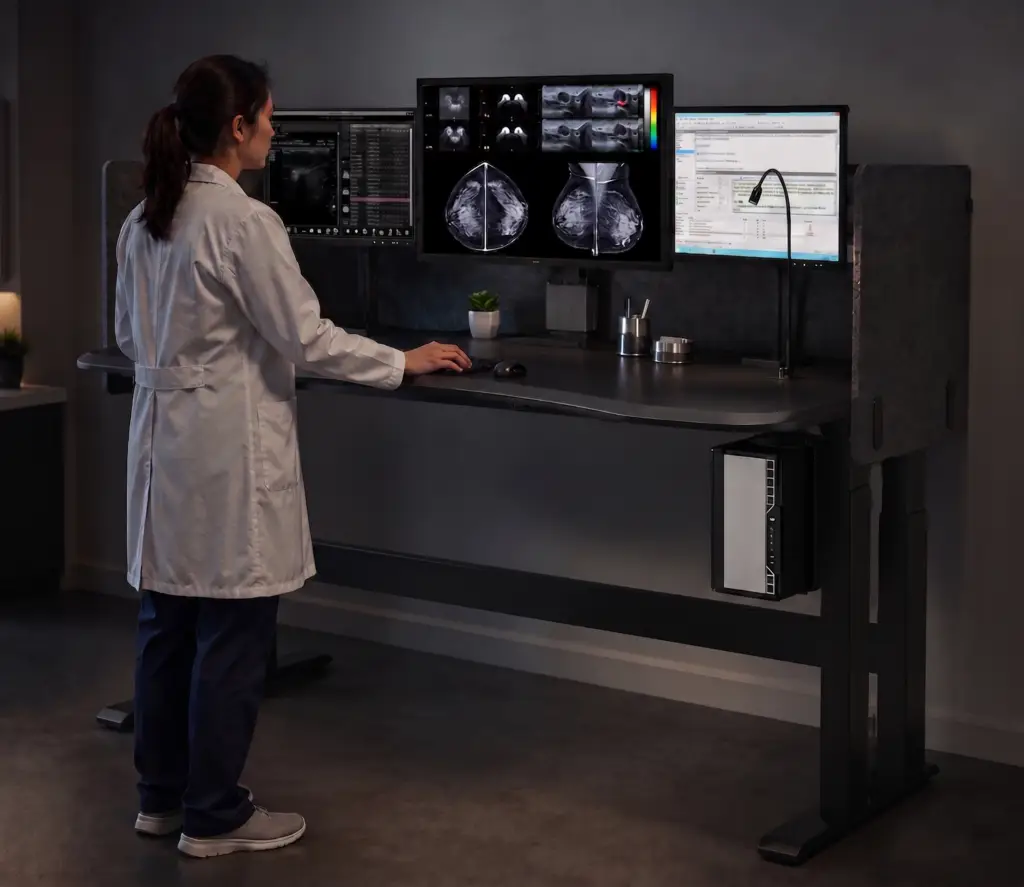
Designed for Every Radiology Environment
Hospital Reading Rooms
Supports high-volume diagnostic reading with consistent comfort across long shifts.
Outpatient Imaging Centers
Space-conscious workstations built for busy, back-to-back imaging schedules.
Home Reading Offices
Complete, professional setups that bring reading-room ergonomics into the home.
Academic and Teaching Settings
Shared and Teaching Stations — A wide height range adapts to readers of very different statures, with quick presets between users
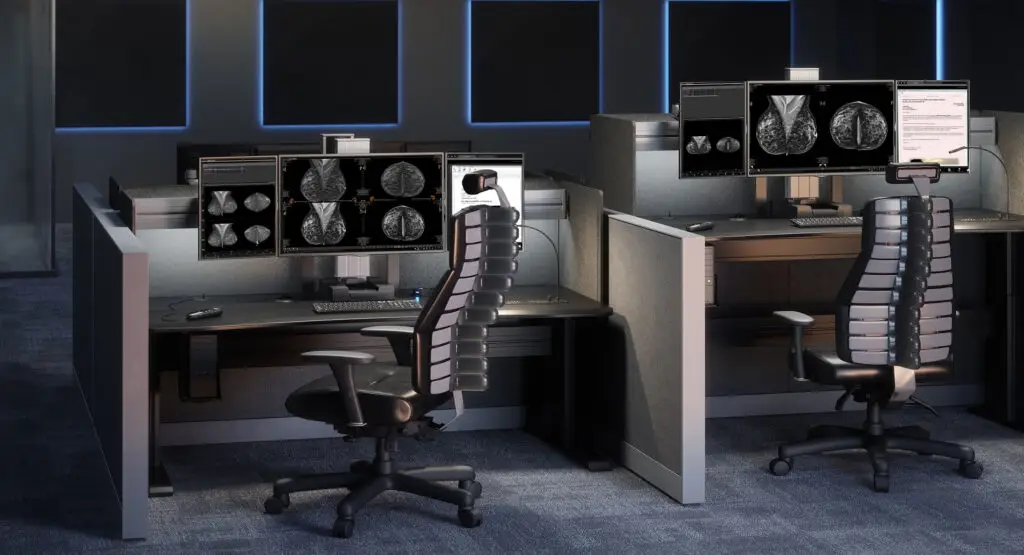
Built for How Radiologists Actually Work
Radiologists spend most of the day seated at a PACS workstation. DBI desks combine sit-to-stand motion, calibrated task lighting, and clean cable management to support healthy posture and clear sightlines. Each setup is tailored to your modalities and reading environment.
Supported Uses:
- Diagnostic Reading — Sit-to-stand motion and supportive seating for full-shift comfort
- Teleradiology and Home Reading — Reading-room ergonomics in a home-office footprint
- High-Volume PACS Review — Fast, repeatable adjustment between users and shifts
- Multi-Monitor Setups — EZ-Track positioning for ideal height, depth, and viewing angle
- Shared and Teaching Stations — Quick presets that adapt to multiple readers
Engineered for Comfort and Productivity
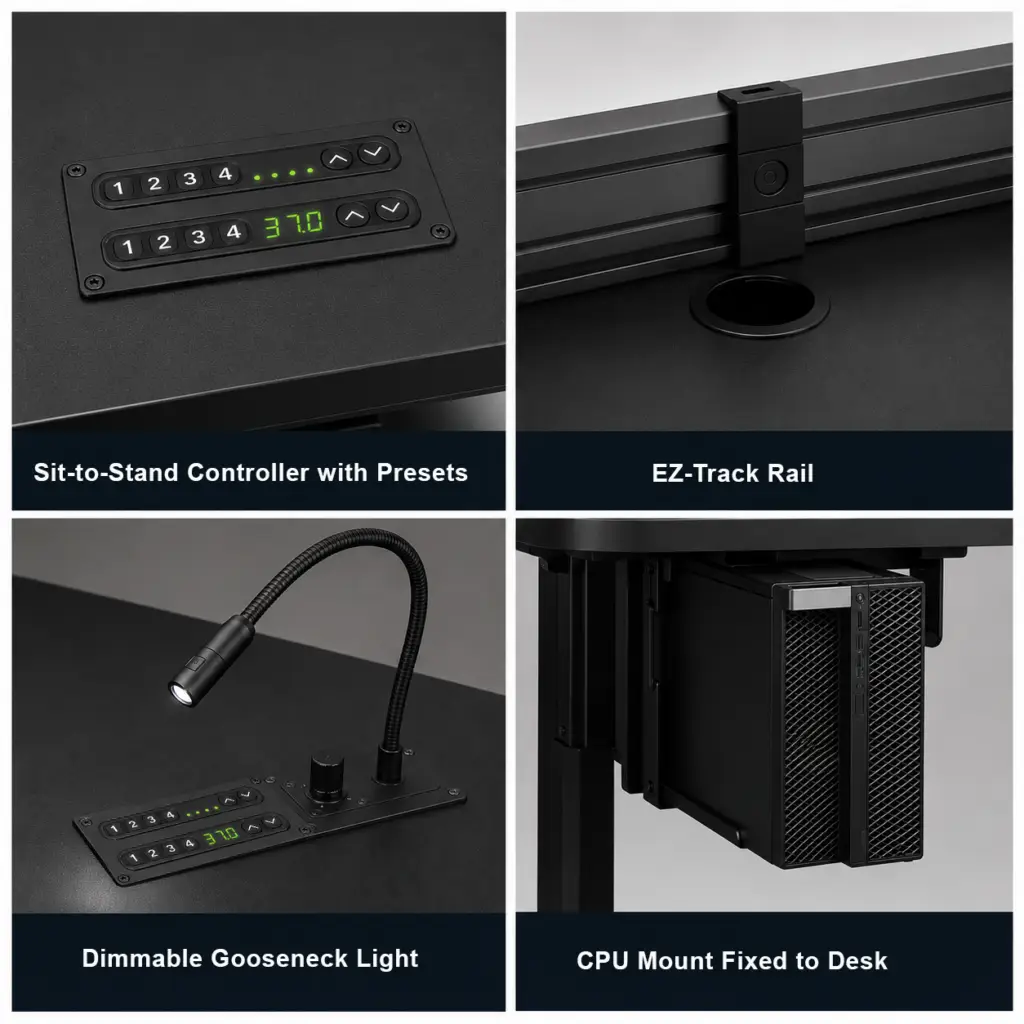
Electronic
Sit-to-Stand
Programmable height presets with soft-collision safety sensors and a wide travel range that fits radiologists of every stature. Cross-braced frames stay stable under heavy multi-monitor loads, where many commercial desks flex or splay.
EZ-Track Monitor Positioning
Height- and depth-adjustable mounting keeps every display at an ergonomic viewing distance and angle. Optimized for multiple displays.
Task and Ambient Lighting
Dimmable gooseneck and adjustable backlighting reduce eye strain in low-light reading environments.
Integrated Cable and CPU Management
A CPU rack that moves with the desk and concealed routing prevent cable strain and disconnection.
Ergonomic Workstation FAQs
What is a radiology ergonomic workstation?
It is a purpose-built reading desk designed for the way radiologists work. These workstations combine sit-to-stand height adjustment, monitor positioning, task lighting, and cable management to support healthy posture during long PACS reading sessions.
Why does ergonomics matter for radiologists specifically?
Radiologists spend most of the workday seated at a workstation, which raises the risk of repetitive strain. Research in the Journal of the American College of Radiology has found that more than 60% of radiologists report neck, back, or wrist symptoms and visual fatigue. A well-designed workstation helps reduce that strain.
Why choose a purpose-built radiology workstation over a standard commercial sit-to-stand desk?
A commercial office desk is built for a keyboard, a laptop, and light use. A radiology workstation has to carry the weight of multiple diagnostic displays and a PACS-grade CPU, position those displays at precise viewing heights and angles, and control task and ambient lighting for low-light reading. Our workstations are engineered for that load, with cross-bracing in the frame that resists the leg splay and wobble common to commercial desks under heavy, multi-monitor setups. Integrated cable and CPU management keeps connections stable as the desk moves, and every workstation is delivered and professionally installed for your reading environment.
A workstation built for radiology supports the productivity and longevity of an expensive, hard-to-replace specialist — a stronger return than a lower upfront price on a desk that was never designed for diagnostic reading.
What is the difference between the Phoenix Home, Phoenix I, and Phoenix II?
The Phoenix Home is a complete workstation sized for home-reading offices. The Phoenix I comes in single-surface and dual-surface versions for in-house reading rooms. The Phoenix II is our most advanced model, adding EZ-Track monitor positioning, privacy panels, personal climate control, and wireless charging.
Can these workstations be used for home reading?
Yes. The Phoenix Home is designed specifically for home reading, and other models can be configured for home use. Many radiology groups now provide ergonomic home desks to help attract and retain readers.
Can one workstation accommodate radiologists of very different heights?
Yes. Our desks are engineered with a wide sit-to-stand travel range, so a single workstation can serve both shorter and taller readers comfortably. This is especially valuable for shared reading rooms and teaching stations, where many desks on the market cannot reach the height extremes that a diverse team needs.
Do you install the workstations?
Yes. Every DBI workstation is delivered and professionally installed on-site, so it arrives ready for your reading environment.
How do you help choose the right configuration?
We start with your modalities, monitor setup, available space, and how your team reads. From there we recommend a single-surface, dual-surface, or custom layout, along with seating such as the Verte chair.
What seating do you recommend?
The Verte radiology chair is our flagship seating option. Its spine-inspired back uses eleven articulating, spring-loaded joints that lock to your posture, supporting comfort across long reading sessions. We have lots of options to fit lifestyle, space and price points.
Can DBI displays and calibration systems support remote reading and teleradiology environments?
Yes. DBI’s CFS Enterprise software is designed to support both on-site and remote reading environments by enabling remote calibration management, QA monitoring, fleet, asset and compliance reporting, and centralized oversight of diagnostic displays. This helps enterprises maintain consistent display performance and quality assurance standards across distributed radiology workflows and home reading environments.
Why would a hospital or radiology group consider DBI if they have traditionally used another display brand?
Many healthcare organizations evaluate DBI because they are looking for an alternative that delivers enterprise-grade diagnostic imaging performance, highly responsive USA-based support, flexible service programs, and one of the best overall values in diagnostic imaging. DBI combines FDA-cleared diagnostic displays, integrated DICOM calibration management through CFS Enterprise software, and complete enterprise imaging solutions designed specifically for radiology workflows.
Testimonials
Keep Your Radiologists Comfortable, Healthy, and Reading
Talk with our team about the right ergonomic workstation for your reading room or home-reading program. We will help you configure, deliver, and install a setup built around your workflow.