
Optimizing Ambient Conditions for a Home Mammography Reading Station
Whitepaper: Optimizing Ambient Conditions for a Home Mammography Reading Station
Double Black Imaging | April 2026
Introduction
As remote diagnostic work becomes increasingly common, radiologists performing mammography reads from home must replicate the image quality and environmental control of clinical workstations. One of the most critical — yet often overlooked — aspects is the ambient lighting environment. Proper room darkness and careful workstation placement are essential for maintaining diagnostic accuracy and reducing eye fatigue.
1. The Importance of Controlled Ambient Lighting
Mammography requires interpretation of subtle grayscale differences that can be easily distorted by ambient light. Even low levels of stray light can alter perceived contrast and obscure microcalcifications or faint lesions. To meet ACR and MQSA guidelines, the ambient light level in a mammography reading environment should not exceed 20 lux — roughly equivalent to twilight conditions.
Maintaining this low-light setting ensures that:
- The monitor’s calibrated luminance range (often 400–500 cd/m² peak brightness) functions optimally.
- Reflections and glare are minimized.
- Radiologists experience consistent visual adaptation between cases.
2. Room Darkness and Layout
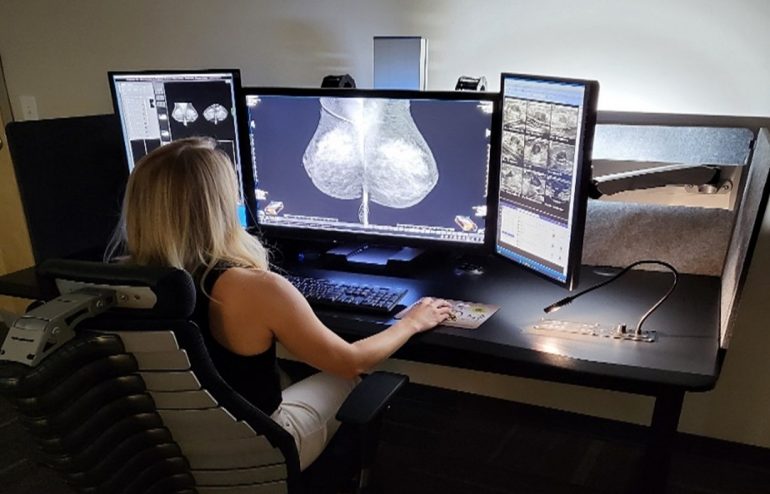
A home reading station should be set up in a dedicated, enclosed space where lighting can be tightly controlled. Ideally, the room should have:
- No direct or indirect daylight. Use blackout curtains, blinds, or window film to eliminate natural light variation throughout the day.
- Non-reflective wall finishes (neutral gray paint with matte texture).
- Dimmable, indirect LED lighting (preferably 4000K color temperature) to provide soft background illumination that reduces monitor-to-room contrast strain without affecting screen visibility.
- No overhead or task lighting directed at the screen surface.
3. Distance from Windows and Light Sources
If a window cannot be eliminated, position the workstation perpendicular to it and at least several feet away. Direct or reflected sunlight on a monitor surface — even through blinds — can drastically reduce contrast sensitivity. Reflections from nearby light sources should also be checked by displaying a full-black test image on the monitor; any visible glare or highlights indicate the need for repositioning or additional shielding.
4. Ergonomic and Environmental Consistency
In addition to lighting control:
- Maintain consistent ambient temperature (68–72°F) and humidity for equipment stability.
- Use neutral, non-reflective surfaces for desks and surroundings.
- Regularly verify display calibration using a photometer or vendor-supplied QA tool to ensure conformance with DICOM Part 14 standards.
5. Double Black Imaging Ergonomic Workstation Advantages
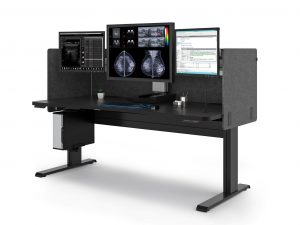
Beyond image quality and lighting control, workstation ergonomics play a vital role in long-term comfort and reading efficiency. Double Black Imaging’s mammography workstations are engineered specifically for the demanding visual and physical requirements of breast imaging radiologists.
Key ergonomic benefits include:
- Adjustable monitor height, tilt, and swivel for optimal alignment to reduce neck and shoulder strain.
- Individually positionable diagnostic and auxiliary displays, allowing radiologists to customize their workspace for left or right reading dominance.
- Integrated cable management and compact footprint to maintain a clean, distraction-free reading area.
- Low-glare monitor coatings and matched brightness control that minimize eye strain in low-light environments.
- Programmable presets for sit-stand configurations, enabling radiologists to vary posture and reduce fatigue during extended reading sessions.
By combining superior display performance with customizable ergonomics, Double Black Imaging helps radiologists maintain diagnostic precision, comfort, and efficiency — whether reading from the hospital or a home environment.
Conclusion
A properly darkened and controlled home environment is vital for accurate mammography interpretation. By isolating the reading station from windows, using subdued and stable background lighting, and minimizing reflectivity, radiologists can preserve the same diagnostic fidelity found in accredited imaging centers. Thoughtful environmental setup not only supports image quality but also safeguards the radiologist’s visual comfort and long-term performance.
References
- American College of Radiology (ACR). ACR Practice Parameter for the Performance of Diagnostic Mammography. 2023.
- Mammography Quality Standards Act (MQSA). U.S. Food and Drug Administration Guidelines on Facility Certification.
- AAPM Task Group 270. Display Quality Assurance: Recommendations of the American Association of Physicists in Medicine. 2019.
- DICOM Standard Committee. DICOM Part 14: Grayscale Standard Display Function. National Electrical Manufacturers Association (NEMA), 2020.
- Krupinski EA, et al. “Ambient Lighting and Monitor Luminance: Effects on Mammography Reading Performance.” Academic Radiology, 2007.
DBI Product References
Mammography Diagnostic Displays
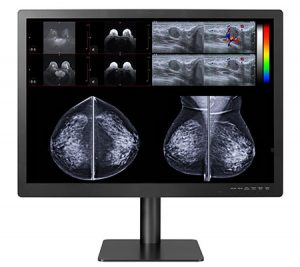
- Gemini 12MP — 12MP Large Format Diagnostic Monitor
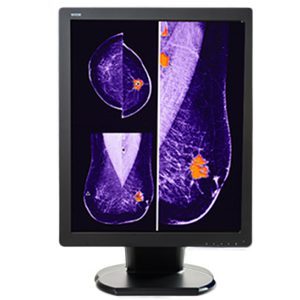
- C5MPL 5MP Color — 5MP Color LED Mammography Display Monitor
Calibration Software
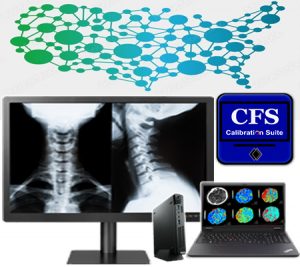
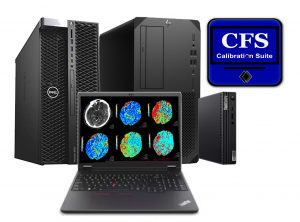
- Calibration Feedback System (CFS) — CFS Display Calibration Software System
Ergonomic Workstations
