
40" Curved Diagnostic Display
This 40-inch curved display is built for diagnostic radiology, from hospital reading rooms to remote reading at home. It combines current studies, priors and worklist on one screen. It is FDA 510(k) cleared for diagnostic use and calibrated to DICOM Part 14 with CFS Calibration Suite®.
• 40″ 11MP Curved Display, Combining Two Diagnostic Displays and a Worklist Display in one
• Automated DICOM Calibration
• Integrated KVM
• Perfect for Remote Reading
40″ Curved
|
Automated Calibration
|
KVM
|
Enterprise Ready
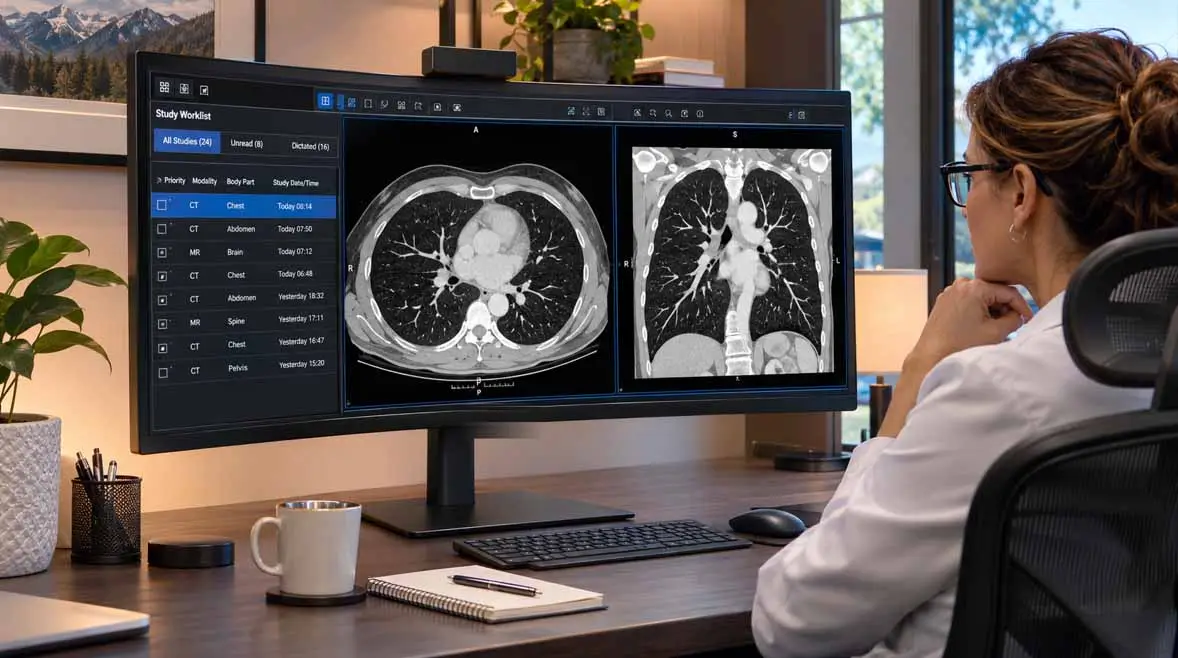
Engineered for Remote Diagnostic Reading
This system pairs a wide diagnostic canvas with automated calibration and remote oversight.
It gives home readers hospital-grade image quality from a single display.
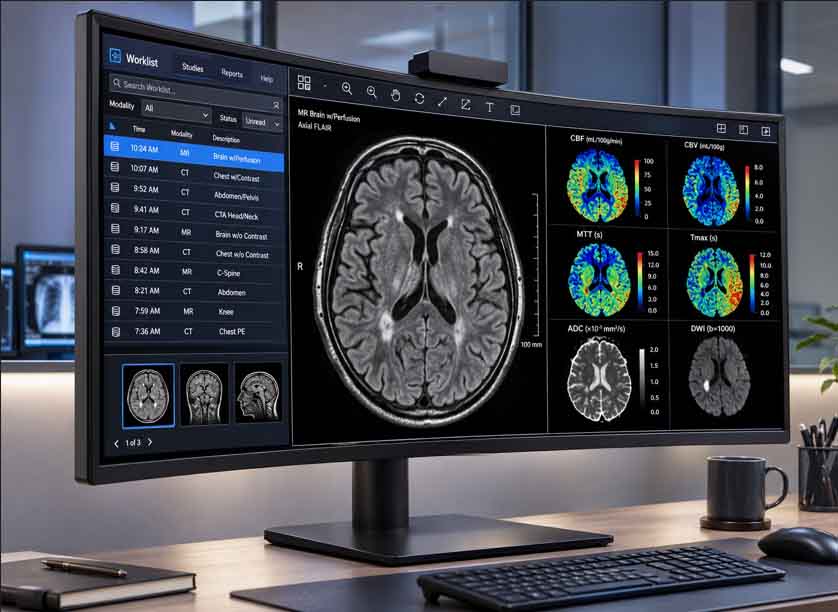
Two Diagnostic Displays and a Worklist in One 40" Curved Display
A Seamless Canvas for Current Studies, Priors and Worklist
The 5120 x 2160 panel shows more than 11 million pixels on a single 21:9 screen. A gentle 2500R curve angles both edges toward the reader. With no center bezel, a hanging protocol can span the full width without a break.
A 0.1815 mm pixel pitch resolves fine detail in CR, DR, CT and MR studies. The 2000:1 typical contrast ratio supports deep blacks in a dim reading room.
- 5120 x 2160 Resolution (Not Cleared for Digital Breast Imaging)
- 21:9 Curved Panel with 2500R Radius
- 0.1815 mm Pixel Pitch
- 2000:1 Contrast Ratio
- Anti-Glare Surface
- Sleek, Near Bezelless Design
- Automatic Calibration via CFS
- 5 Year Warranty with Included Hotswap via DBI
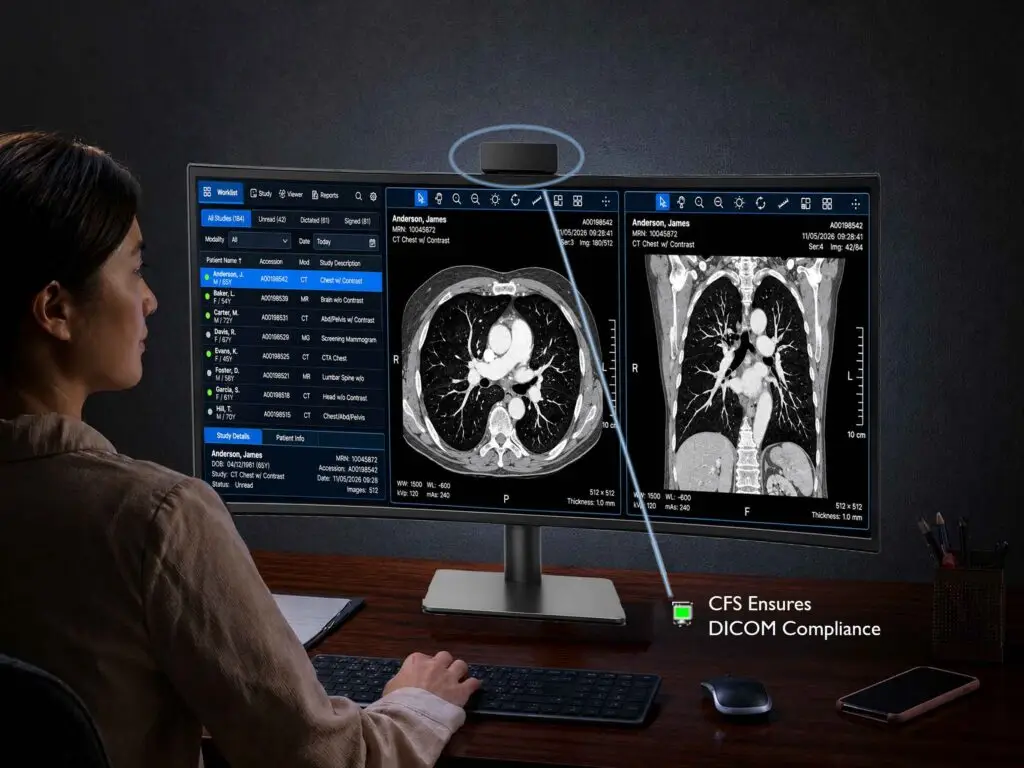
Automated DICOM Calibration with CFS Enterprise Software
Calibration, Compliance, Enterprise Management with Remote Oversight
A home workstation needs the same calibration discipline as a hospital reading room. CFS Calibration Suite® measures luminance with the display’s front sensor and corrects grayscale to DICOM Part 14. Calibration runs on a schedule, so no site visit is required.
Results report to CFS WebManager. PACS administrators can review every remote display from one console. Email alerts flag a display that drifts out of tolerance.
- Ensures compliance to DICOM 3.14 Standard
- Includes Local agent and CFS WebManager Included
- Email Alerting for Proactive Workstation Maintenance
- Rreporting tools including NYC, NYS and Joint Commission
- 100% Developed by Double Black Imaging in the USA
- Productivity Toolkit Included
- Virtuoso Enterprise Management by DBI Available
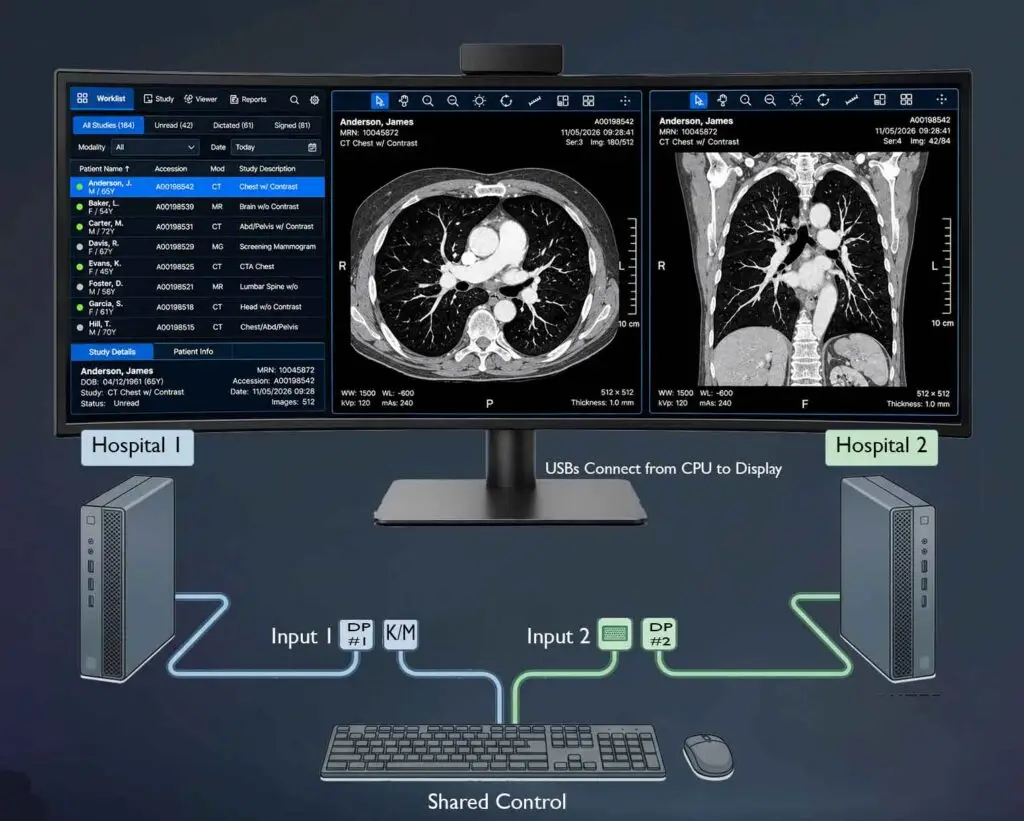
Integrated KVM for Multi-System Control
Two Computers, One Keyboard and Mouse
The built-in KVM switch controls two computers with one keyboard and mouse. A PACS workstation and a hospital-issued laptop can share the screen side by side.
A USB-C port carries video, data and up to 65 W of laptop power over one cable.
- Built-In KVM for Two CPUs
- Reduces Workspace Complexity
- Multi-System & PACS Compatibility
- Seamless System Switching
Built for the Remote Reading Room
Diagnostic Performance in a Single-Display Footprint
Remote reading works best when the home setup is simple to install and easy to keep compliant. This display needs one mount, one power cord and one calibration record. A built-in power supply removes the external power brick.
This 40″ Display is calibrated to 350 cd/m² meeting the ACR recommendation for minimum calibrated luminance on a diagnostic display.
- Easy Set up for Remote readers
- 350 cd/m2 Calibrated Brightness
- Built-In Power Supply
- Height, Tilt and Swivel Adjustment
- CPU and Ergonomic Workstation Bundles Available
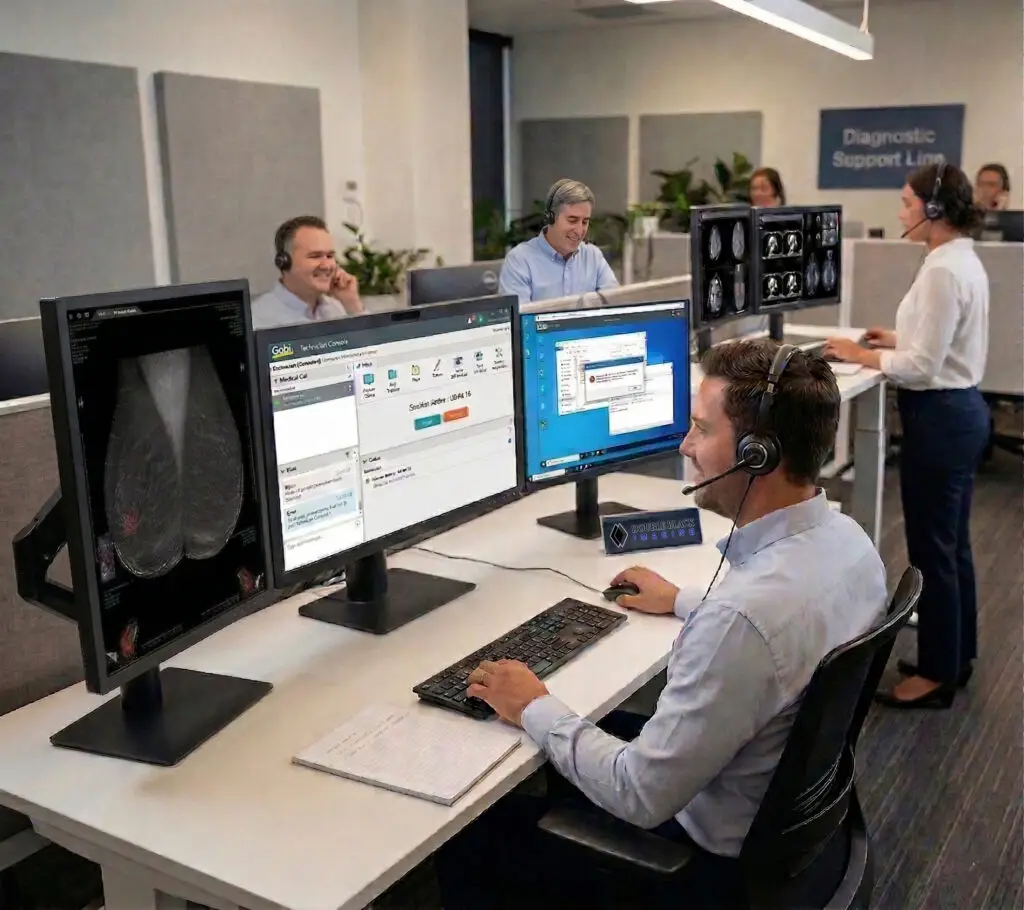
5-Year Warranty with USA Based Service & Support
Support That Reaches the Remote Reader
Backed by a comprehensive 5-year warranty and USA based service, this system delivers reliable support, faster response times, and long-term operational confidence. All systems are tested, integrated, and serviced at DBI’s Colorado facility—ensuring consistent quality and rapid issue resolution.
Trusted daily by thousands of PACS Administrators, Radiologists, and enterprise healthcare organizations, DBI is known throughout the industry for delivering award-winning support and consistently reliable service.
- Advance Hot-Swap Included
- 5 Calendar Year Warranty
- Direct Access to USA Based Support Teams
- Faster Resolution and Reduced Downtime
- Long-Term Reliability
- Tested, Integrated & Serviced in the USA
- Proven Across Enterprise Healthcare Environments
C40Crv Specifications
Key technical details for evaluating performance, compatibility and remote deployment requirements.
Resolution
5120 x 2160 (11MP); 21:9 Aspect Ratio
Screen Size and Active Area
40″ Class (39.7″ Diagonal); Curved, 2500R
Screen Type
IPS Black LCD, LED Backlit
Brightness
500 cd/m² Typical; 350 cd/m² Calibrated Brightness Recommended
Contrast
2000:1
Viewing Angle
178 Degrees Typical
Pixel Pitch
0.1815 mm x 0.1815 mm
Response Time
5ms (GtG at Faster); Refresh Rate: Up to 120 Hz
Video Inputs
DisplayPort v. 2.1 (x2), HDMI v. 2.1 (x1), USB-C (x1) with DisplayPort Alt Mode and 65 W Power Delivery
Dimensions W x H x D (Inches)
37.3 x 24.7 x 11.0 w/ Stand; 37.3 x 16.5 x 4.2 w/o Stand
Weight (lbs)
26.0 lbs w/ Stand; 18.6 lbs w/o Stand
Power Supply
Built-In. AC Input: 100–240 V, 50/60 Hz
Power Consumption (on/savings)
65 W Typical; 180 W Maximum; Less than 1 W in Sleep Mode
Certifications
FDA 510(k) Class II, IEC 60601-1, IEC 60601-1-2, EN 60601-1, EN 60601-1-2, IEC 60950-1, EN 60950-1, IEC 55032, IEC 55024, EN 55032, EN 55024, cUL, FCC Part 15 Class A, ISO 13485, GMP, KGMP, MFDS, RoHS, REACH, WEEE
Recommended Modalities
Teleradiology, CR, CT, DR, MR, Ultrasound, NucMed, PET, 3D, PACS. Not intended for mammography.
Other Features
40" Curved Display FAQs
What is a 40″ curved 11MP diagnostic display used for?
It is used for primary interpretation of general radiology studies, including CR, DR, CT and MR. The 5120 x 2160 screen shows current images, priors and the worklist together. It fits remote reading stations and hospital reading rooms. It is not intended for mammography. Click here for more information on Digital Breast Imaging Displays.
Is this display FDA cleared for diagnostic radiology?
Yes. The display has FDA 510(k) clearance as a Class II medical device. It is indicated for displaying radiological images for review, analysis and diagnosis by trained medical practitioners. It is not intended for mammography.
Does this display meet ACR guidelines for remote reading?
Yes, it meets the display thresholds in the ACR–AAPM–SIIM Technical Standard for diagnostic interpretation. The standard calls for a maximum luminance of at least 350 cd/m² and a pixel pitch no larger than 0.210 mm. This display is calibrated at 350 cd/m² and has a 0.1815 mm pixel pitch.
Can one 40″ curved display replace two or three displays?
For many general radiology workflows, yes.
How does a 40″ 11MP display compare with a 32″ 8MP display for home reading?
Both are single-display options with a similar pixel pitch of about 0.18 mm. The 32″ 8MP display has a 3840 x 2160 resolution in a 16:9 format. The 40″ 11MP display adds 1,280 pixels of width in a curved 21:9 format. Choose the 40″ display when you want a third image column or a second computer on screen.
How does calibration work on a remote workstation?
CFS Calibration Suite® runs calibration automatically on a schedule. The front sensor measures luminance, and CFS corrects grayscale to DICOM Part 14. Results upload to CFS WebManager for remote review. Administrators receive an email alert when a display needs attention.
Can I connect a hospital laptop and a PACS workstation to the same display?
Yes. The built-in KVM switch controls two computers with one keyboard and mouse. Both can appear side by side in split-screen mode. A laptop can connect over USB-C, which also supplies up to 65 W of power.
Is this display compatible with my PACS and graphics card?
The display connects through standard DisplayPort, HDMI or USB-C, so no proprietary hardware is needed. Confirm that your graphics card supports 5120 x 2160 resolution. Also confirm that your PACS viewer supports ultrawide layouts. DBI also offers bundled CPU solutions for complete workstations.
What should IT and PACS teams evaluate before a remote reading rollout?
Evaluate three things beyond resolution and brightness. First, check how calibration is automated and reported for displays outside the hospital. Second, check how a failed display is replaced at a home address. Third, check that the graphics card and PACS viewer support the display's resolution.

Trusted by thousands of PACS administrators, radiologists, and healthcare organizations nationwide.
Planning a home reading station or a remote reading rollout? Our team will match the display, workstation and calibration plan to your workflow. Request a quote backed by USA-based support.


